
Samsung Theme Park
Screenshots
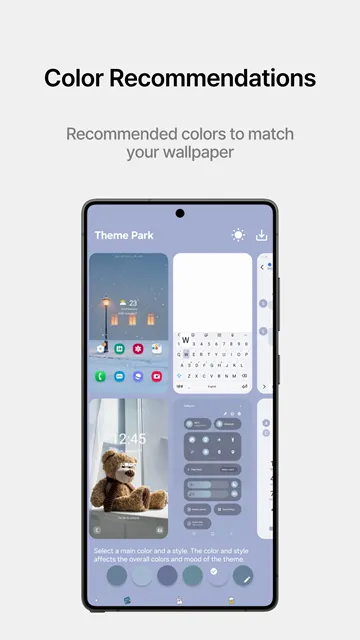
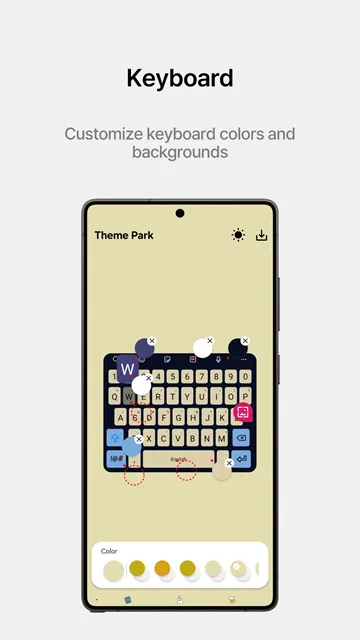
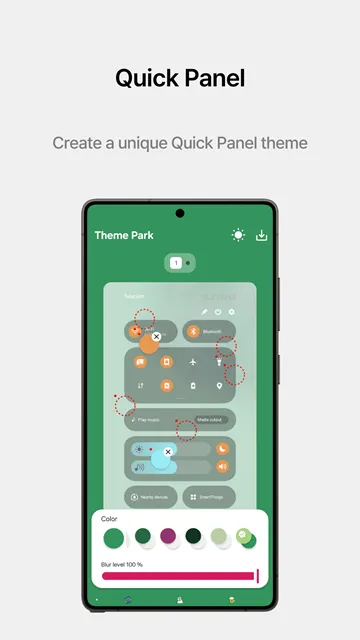
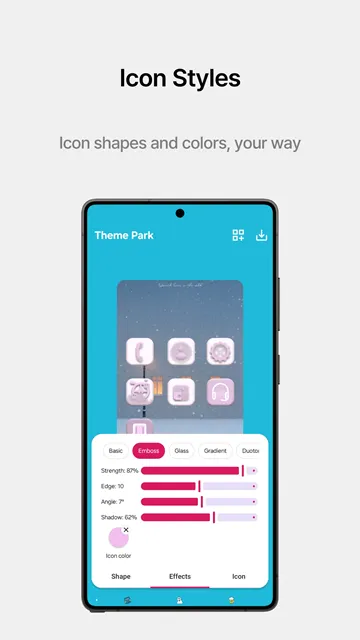
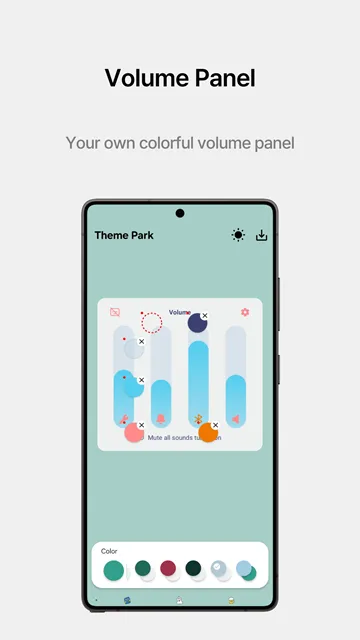
Samsung Theme Park offers an incredible solution for personalizing your smartphone interface. Many smartphone users want to change their screen appearance. They want unique colors and styles that match their mood. Samsung Theme Park allows you to modify every detail. You can adjust your menus, keyboards, and icons easily.
Therefore, your phone reflects your true personal style. You do not need complex graphic design tools for this task. The user interface remains simple and clean. Anyone can learn to use the options quickly. First, you pick your favorite background image. Then, the tool extracts beautiful colors automatically. This creates a perfectly balanced visual theme.
You can download the APK file directly to start your journey. It will transform your smartphone experience completely. You will love checking your phone every single minute.
What is Samsung Theme Park?
Samsung Theme Park is an official customization module created specifically for Galaxy devices. It belongs to the famous Good Lock optimization family of tools. Samsung developed this software to help users control their phone aesthetics perfectly. Many stock themes look plain or uninteresting. Therefore, this tool gives you absolute creative freedom. It analyzes your current wallpaper images with great accuracy. Then, it creates a custom color palette based on those images.
You can apply these colors to your quick setting panels. You can also change your text message bubble backgrounds. The software integrates deeply with the native system architecture. Consequently, it works better than random third-party options. It does not cause any lag or freezing on your phone. You can build countless themes for your collection. Each theme will look highly professional and neat.
It changes the way you look at your phone screen. You will enjoy a fresh visual experience every single day. The module allows you to save multiple designs. You can switch between them based on your daily preference. This flexibility makes the tool highly popular among smartphone enthusiasts worldwide. It provides an excellent way to refresh your mobile interface without buying a new device.
Key Features of Samsung Theme Park
Samsung Theme Park includes many advanced options to enhance your user interface. You can modify distinct elements across the software smoothly.
Here is a list of the top features available:
- Automatic color extraction from any selected wallpaper image.
- Comprehensive icon customizer that supports custom shape changes.
- Custom keyboard coloring options for better typing visibility.
- Notification panel editing including brightness slider adjustments.
- Dark mode theme building for comfortable night viewing.
- Font color choices that match your background layout.
Each feature allows deep modification of standard screens. For example, you can change the color of active setting buttons. You can also alter the background color of individual menus. This means you control the entire theme layout easily. In addition, you can change icon sizes. You can even import external icon packs without trouble. Then, you can save your creations to your local phone storage.
You can share your custom themes with friends too. The options remain endless for creative minds. You can change your design whenever you want. The software gives you control over the blurring effects on your screen. This helps you create a clean blur behind your notifications. You can also adjust the saturation of your theme colors. This ensures your display looks exactly how you want it.
Step-by-Step APK Installation Guide
Installing the APK file requires a few basic actions from you. You must follow the instructions carefully for a smooth setup.
First, download the latest version of the file from our website. We provide safe and clean files for your mobile device. Next, open your smartphone settings menu. Navigate directly to the security or privacy section. You must enable the option for unknown sources. This step allows the manual installation of external software files.
Then, open your built-in file manager app. Locate the downloaded file in your storage folder. Tap the file to launch the installer package. Select the install option on your screen. The installation process finishes in a few moments. Finally, locate the new icon in your app drawer. You can also access it through the Good Lock launcher app. Now you are ready to begin your design journey.
Make sure you update the file regularly. New versions provide better compatibility with the latest Android software. If you encounter any errors, clear the cache files. This usually solves most minor installation issues. You can then enjoy seamless customization on your device. The process takes less than five minutes from start to finish.
Creative Ways to Design Your Interface
You can create beautiful designs by choosing the right visual components. Start by selecting a crisp wallpaper image. High-resolution images produce the best color palettes for your device. For instance, choose a dark forest photo for a natural theme. The software will extract calm green tones. Then, pair these tones with clean white text.
Alternatively, you can select a bright neon background. Neon colors look great with dark menu designs. You can create a striking contrast this way. Furthermore, modify the shape of your icons. Choose rounded rectangles for a sleek modern style. Use classic circles for a traditional layout.
Do not hesitate to try unusual color combinations. You might discover an amazing new look. Always test your themes in bright daylight. This ensures your text remains fully readable under the sun. You will feel proud of your unique creation. Customizing your phone allows you to stand apart from the crowd.
Why You Should Choose Samsung Theme Park
Samsung Theme Park offers massive advantages over typical launcher programs. Traditional launchers often replace your home screen completely. This replacement can drain your device battery rapidly. However, Samsung Theme Park works directly with the native One UI system. It modifies existing system files safely. Therefore, it preserves your original device speed. Your phone will run smoothly without any performance drops.
You also keep your original widgets and side panels intact. In addition, the tool does not show annoying advertisements. Many free customization tools ruin your experience with pop-up ads. This official module remains completely clean and safe. It receives regular updates to fix software bugs. You can trust it to protect your phone data. It provides the safest customization experience available.
Furthermore, it supports both light and dark system modes. You can design a theme that changes automatically based on the time of day. This prevents eye strain during late-night phone usage. It also helps conserve your battery life on AMOLED screens. Choosing this tool means choosing quality and stability for your phone interface.
Conclusion
Samsung Theme Park gives you the power to redesign your phone completely. It changes how you experience your mobile device daily. You can download the APK file safely today from our platform. Then, you can start building your dream theme immediately. Enjoy a customized phone that matches your unique style perfectly. It is the ultimate tool for visual freedom.